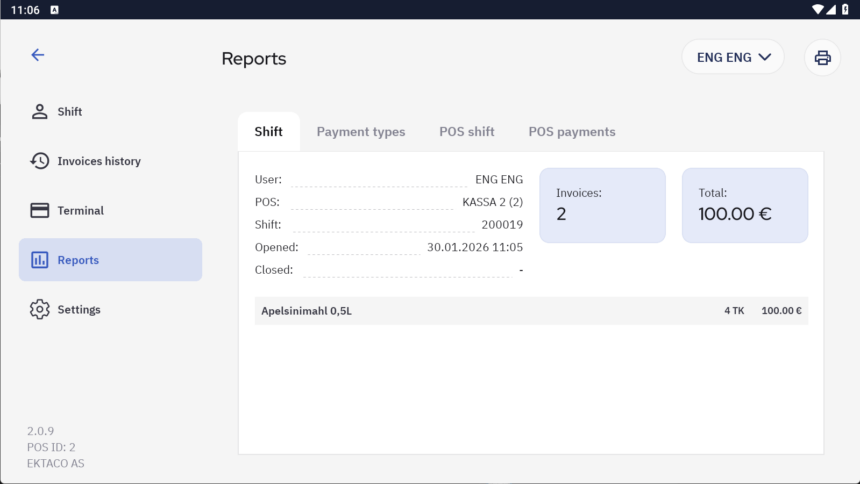
Shifts
Starting a shift
After entering the password and logging into the POS, the program checks for an existing shift, if the waiter does not have an open shift, the shift start sum is requested. The waiter must enter the actual existing sum with which they start the day into the table. The sum can be entered either by quantities of notes and coins or as a total sum in the top box.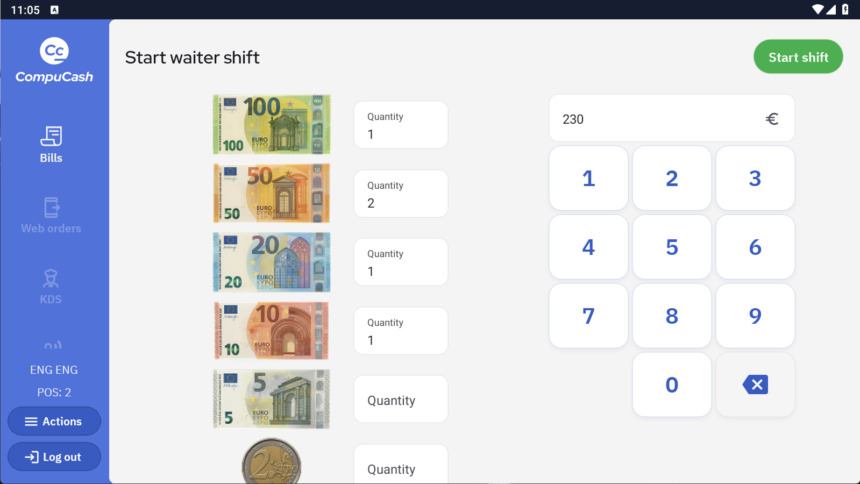
Ending a shift
To end a waiter shift, open the Actions menu from the left, select the Shift submenu, and click End waiter shift. The closing sum of the shift is requested, and after entering it, a report regarding money movements and the difference between the entered sum and the calculated “must be” sum is displayed.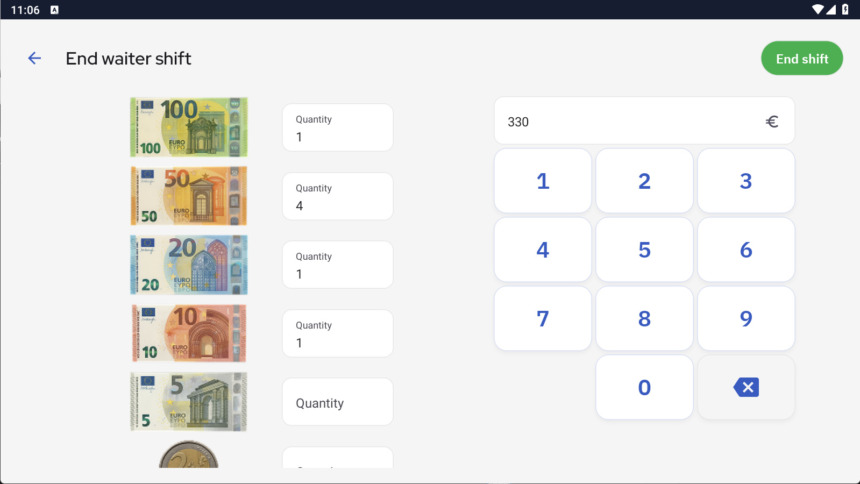
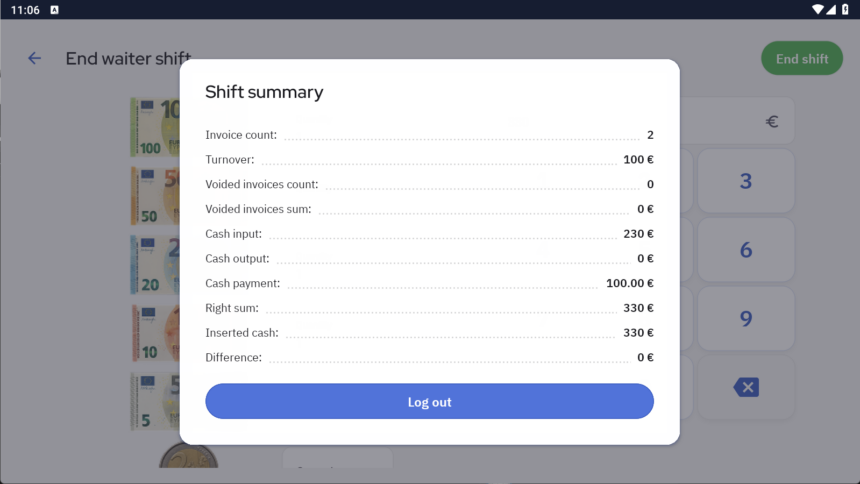 The report displays the financial movements of the specific waiter (user).
In addition, a POS-based shifts can be activated via separate configuration; in this case, money movements can be calculated per POS point (device), meaning all financial transactions registered in the given POS are accounted for (i.e., activities of all waiters are summed up). This shift is independent of the waiter-specific shift; both can be used in parallel, or only one of them.
It is recommended to use the POS-based shift when multiple waiters use the same POS and cash is kept together; collective responsibility applies regarding financial accounting.
To end a POS shift, open the Actions menu from the left, select the Shift submenu, and click End POS shift
Shift reports
Waiter shift reports can be viewed by opening Actions and Reports